Use a Toolchain
Toolchains are pre-built Dagger modules that provide ready-to-use functions and checks for common development workflows. They let you add powerful CI/CD capabilities to your project without writing any code—just install a toolchain and start calling its functions.
This quickstart will guide you through installing and using a toolchain in an example application. You'll see how toolchains provide build, test, and publish functions that work immediately with your codebase.
A toolchain is a Dagger module designed for consumption. You install it and use its functions directly—no code writing required. Toolchains package best practices, checks, and automation that you can use across projects.
Requirements
This quickstart will take you approximately 5 minutes to complete.
Before beginning, ensure that:
- you have installed the Dagger CLI.
- you know the basics of Dagger.
- you have Git and a container runtime installed on your system and running. This can be Docker, Podman, nerdctl, Apple Container, or other Docker-like systems.
- you have a GitHub account (optional, only if configuring Dagger Cloud)
Get the example application
The example application is a skeleton Vue framework application that returns a "Hello from Dagger!" welcome page. Create a Github repository from the hello-dagger-template and set it as the current working directory:
In the GitHub UI:
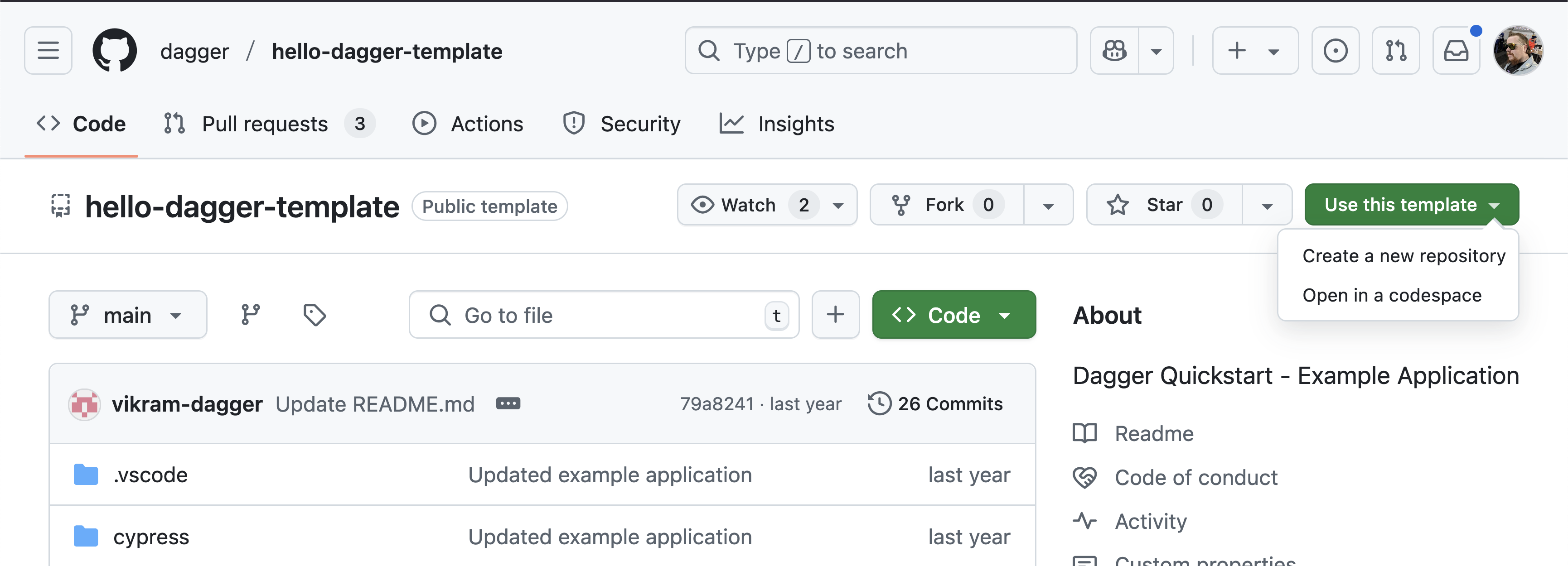
Clone your new repository and set it as the current working directory.
Or with the gh CLI:
gh repo create hello-dagger --template dagger/hello-dagger-template --public --clone
cd hello-dagger
Configure Dagger Cloud (optional)
This step is optional and will create a Dagger Cloud account, which is free of charge for a single user. If you prefer not to sign up for Dagger Cloud, you can skip this section.
Dagger Cloud is an online visualization tool for Dagger workflows. It provides a web interface to visualize each step of your workflow, drill down to detailed logs, understand how long operations took to run, and whether operations were cached.
Create a new Dagger Cloud account by running dagger login:
dagger login
The Dagger CLI will invite you to authenticate your device by displaying a link containing a unique key. Click the link in your browser, and verify that you see the same key in the Dagger Cloud Web interface.
$ dagger login
Browser opened to: https://auth.dagger.cloud/activate?user_code=FCNP-SRLM
Confirmation code: FCNP-SRLM
Once you confirm your authentication code, your Dagger CLI will be authenticated and you will get redirected to your newly created Dagger Cloud organization.
After successfully creating your organization, all future Dagger workflows can be inspected in Dagger Cloud.
Install a Toolchain
Create a new Dagger module using dagger init and then install a toolchain:
dagger init
dagger toolchain install github.com/kpenfound/blueprints/hello-dagger --name hello
This installs the toolchain from github.com/kpenfound/blueprints/hello-dagger, making all its functions immediately available for your project.
See What's Available
List the functions the toolchain provides:
dagger functions
dagger call hello --help
You will see:
dagger call hello --help
▶ connect 0.2s
▶ load module: . 1.0s

Name        Description
build       Build the application container
build-env   Build a ready-to-use development environment
publish     Publish the application container after building and testing it on-the-fly
test        Return the result of running unit tests
These functions are now available to use with your project—no code writing required!
Use Toolchain Functions
Try calling the test function:
dagger call hello test
You can call any of the toolchain's functions:
# Build the application
dagger call hello build

# Get a development environment
dagger call hello build-env

# Publish after building and testing
dagger call hello publish --address=ghcr.io/myorg/hello-dagger:latest
All of these functions work with your project code automatically. The toolchain handles the complexity—you just call the functions you need.
What Just Happened?
When you installed the toolchain:
- The toolchain functions became available to call directly
- Your project directory is automatically used as the source code
- You can now run build, test, and publish workflows without writing code
This is the power of toolchains: immediate value without complexity.
Next Steps
Congratulations! You've installed and used your first toolchain.
What you can do now:
- Run checks - Most toolchains include validation checks
- Use in CI - Run the same commands in your CI pipeline
- Customize - Add your own functions or modify behavior
- Build your own - Create toolchains for your organization
Community:
- Join our Discord to ask questions and share ideas
- Star our GitHub repository to stay updated